
Sky Go Tablet2.2.3 - Google Play
You'll be able to see results in few seconds.
Publisher Description
**Android 5.0 Important information: During testing of Sky Go with Android 5.0, we have seen some issues that will affect customers attempting to play video through the app. To continue using Sky Go we recommend not to update to Android 5.0 until we have resolved the issues. We are working hard to resolve this and apologise for any inconvenience caused. For latest updates, please visit http://help.sky.com/articles/using-sky-go-on-an-android-device **
*Sky Go Tablet is compatible with the majority of Android tablets that are 7in or larger and running Android 4.0 or later. If you have an Android device smaller than 7in please search for “Sky Go” app in the Google Play Store, which is available on selected Android devices.*
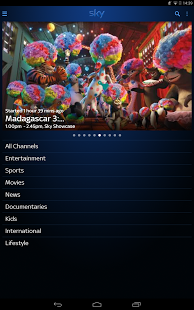
Sky Go, our award-winning TV on the move service, ensures you don’t miss the TV you love, whenever you want, wherever you are - at no extra cost for Sky TV customers.
Enjoy TV from Sky on your Android tablet wherever you are in the UK or Ireland with a Wi-Fi or 3G/4G connection.
Sky Go Extra lets Sky TV customers download popular TV shows and movies via Wi-Fi to watch on up to four devices. The programmes and movies available for download depends on your Sky TV subscription. Downloading via Wi-Fi also means that you don’t have to worry about using up your monthly data allowance from your mobile phone provider.
SKY GO - KEY FEATURES
* Our on demand catalogue includes over 800 movies, hundreds of entertainment programmes and a great range of kids shows
* Watch up to 54 live TV channels depending on your subscription
* All Sky Sports channels, including Sky Sports F1, and British Eurosport
* All 11 Sky Movies Channels
* Sky Atlantic, Sky1, Sky Living, Sky Arts 1 and Sky News
* Eight Kids channels including Cartoon Network, Nickelodeon and Disney Channel
* Register up to 2 devices
* Watch on up to 2 devices at the same time
Sky TV customers can enjoy the great benefits of Sky Go at no extra cost to your monthly subscription.
SKY GO EXTRA – ADDITIONAL FEATURES
* Download selected On Demand content depending on your Sky TV subscription
* Watch downloaded content anywhere, even without Wi-Fi or 3G/4G
* Register up to 4 devices
* Watch on up to 2 devices at the same time
Sky TV customers can upgrade to enjoy the great additional benefits of Sky Go Extra for just £5 (or €6) extra per month. More information at: www.sky.com/skygoextra
Watching Sky Go on your smartphone through a 3G/4G connection will use data and contribute to the monthly allowance set by your mobile network operator. Exceeding this could result in significant charges. For security reasons and to protect the rights of our content partners Sky Go is not supported on rooted devices.
FAQs
How do I sign in?
To start enjoying Sky Go you need a Sky iD username and password which you can set up at skygo.com/signup
How much does Sky Go/Sky Go Extra cost?
Sky Go is available to Sky TV customers at no extra cost but what you will be able to watch depends on your Sky TV subscription. Sky Go Extra is for Sky TV customers only and costs £5 (or €6) extra per month.
What are the connectivity requirements?
We recommend a minimum continuous bandwidth of 2Mbps to access high quality streams.
What download restrictions are there?
Sky Go Extra users can download selected Sky Go content via Wi-Fi. Two downloads per programme. Content is deleted 48 hours after viewing starts or no later than 7 or 30 days after download depending on content.
The service is available in the UK and Ireland. Mobile network and/or Wi-Fi charges apply. Contact your Network Operator for further information.
Additional information: Available to residential customers in the UK or Ireland only. Some programmes from live Sky TV channels are unavailable via Sky Go. Further terms apply.
Sky’s privacy notice explains how Sky uses your information. You can view this notice at: http://www.sky.com/privacy
About Sky Go Tablet
The company that develops Sky Go Tablet is BSkyB. The latest version released by its developer is 2.2.3.
To install Sky Go Tablet on your Android device, just click the green Continue To App button above to start the installation process. The app is listed on our website since 2014-10-06 and was downloaded 0 times. We have already checked if the download link is safe, however for your own protection we recommend that you scan the downloaded app with your antivirus. Your antivirus may detect the Sky Go Tablet as malware as malware if the download link to com.bskyb.skygotablet is broken.
How to install Sky Go Tablet on your Android device:
- Click on the Continue To App button on our website. This will redirect you to Google Play.
- Once the Sky Go Tablet is shown in the Google Play listing of your Android device, you can start its download and installation. Tap on the Install button located below the search bar and to the right of the app icon.
- A pop-up window with the permissions required by Sky Go Tablet will be shown. Click on Accept to continue the process.
- Sky Go Tablet will be downloaded onto your device, displaying a progress. Once the download completes, the installation will start and you'll get a notification after the installation is finished.
Program Details
System requirements
Download information
Pricing
Version History
version 2.2.3
posted on 2014-10-06
version 2.2.3
posted on 2014-10-06
Several fixes and updates
Disclaimer
Official Google Play Link
We do not host Sky Go Tablet on our servers. We did not scan it for viruses, adware, spyware or other type of malware. This app is hosted by Google and passed their terms and conditions to be listed there. We recommend caution when installing it.
The Google Play link for Sky Go Tablet is provided to you by apps112.com without any warranties, representations or guarantees of any kind, so access it at your own risk.
If you have questions regarding this particular app contact the publisher directly. For questions about the functionalities of apps112.com contact us.
